No more juggling separate programs for the terminal and the file transfers — one app, one connection, one password.
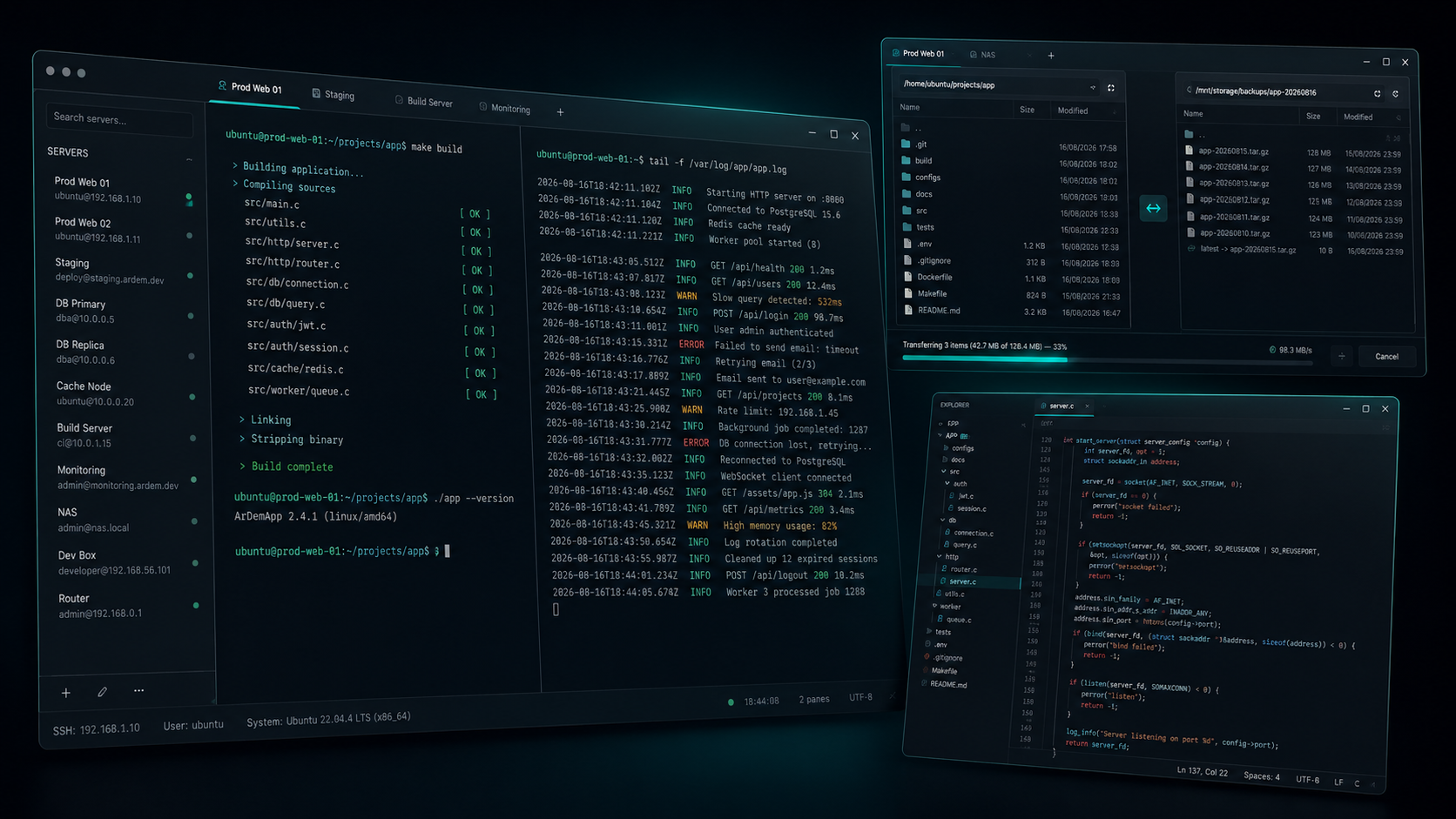
A separate program for the shell, another for the files — two connections to the same server, two logins, two windows to keep straight.
A Windows desktop app for administering Linux, BSD, or any SSH-reachable machine.
Full shell, with tabs and split panes.
Two-pane manager for browsing and transferring files.
Syntax-highlighted code editing, straight on the server.
The SSH protocol allows multiple channels over a single authenticated connection. ArDem uses this fully: the first pane does the key exchange and authentication, and every pane, tab, or file session that follows to the same server costs only a channel. The second terminal opens instantly, not after another handshake. The file panel appears without a new login. The client stays alive as long as at least one channel is still open.
The file panel, the editor, and the transfer engine all go through a common interface and don't know what's underneath. Today: SFTP, SSH, FTP, FTPS. A new protocol means a module with the same shape, no interface changes.
OpenSSH keys, .ppk key files (v2 and v3), and ArDem's own .dem container.
.dem is a container, not a new algorithm — inside sits an entirely ordinary ed25519 key, and the server sees no difference. Compared to .ppk, it adds:
Key generation and conversion happen right in the app.
Full context isolation, no Node integration in the renderer, a strict Content-Security-Policy. All cryptography comes from Node's crypto module — nothing hand-rolled.
Portable Windows executable — download and run, nothing to install.
Download ArDem for Windows ArDem
ArDem